Set up an email address to send messages from
Last modified:
Landlord Vision allows you to set up your own external branding options so that your tenants can see your logos and addresses instead of ours. There are three sections and this guide covers the email facility.
All options are in Settings > Main > White Labelling
By default, Landlord Vision sends it messages from noreply@landlordvision.co.uk, though it is possible to reply to these messages and the reply to address will be your log in address. To make this clearer for all involved, you can set up a dedicated email address that all messages go from. All replies will go to this address too. This is set up in Email Domain White Labelling. Please note that you need to be the owner of the domain to make this work, so webmail addresses like @hotmail.com, @gmail.com etc cannot be used for this functionality.
Enter the domain of your email account and also a mail box name if you wish. This is how the incoming messages will look to your recipients. You will need to add some extra settings to your DNS server to complete the process. Please note that these are examples and you should use the data you get in your Landlord Vision, not the examples below.
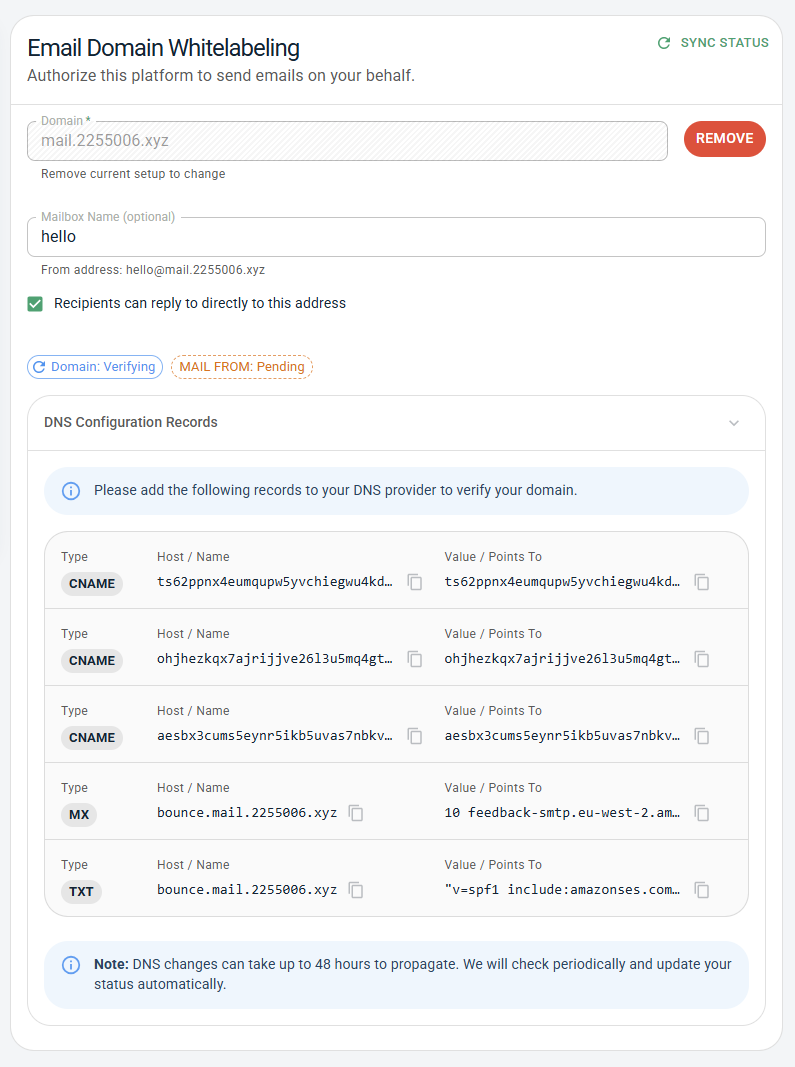
Search for each Type in your Domain Server and copy and paste the items that come up.
As per the screenshot, the process isn't immediately complete. There is some verification to be done first. This can take up to 48 hours and is done by a script. There is no need to contact us with any details.
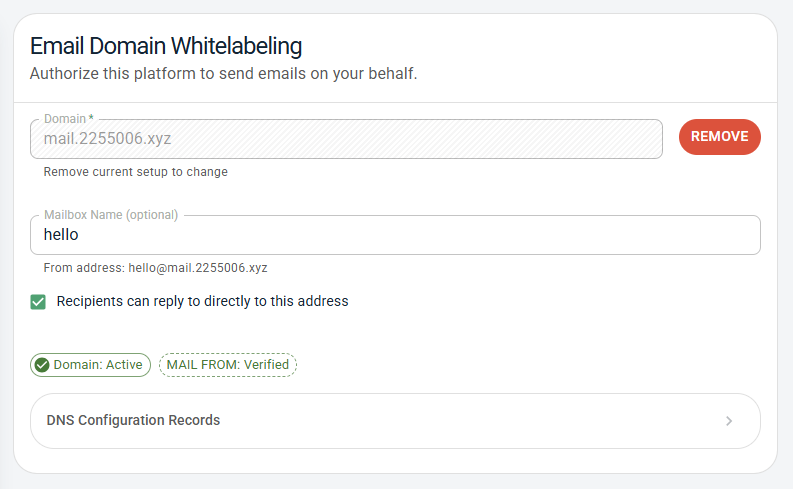
Once complete, your Landlord Vision screen should look like this and you will be able to send and receive emails via the set address: