Mobile Apps
Last modified:
Download the Landlord Vision mobile app from Google Play or the iOS App Store and manage your portfolio on the move. The app contains every bit of functionality that you can find in the main website version, expect for the option to update your subscription, you will need to log in via the website for that.
Installation
Go on to Google Play or the App Store and enter Landlord Vision in to the search bar. Download and install the Landlord Vision app on to your mobile device and sign in with your usual log in credentials.
Faster sign in
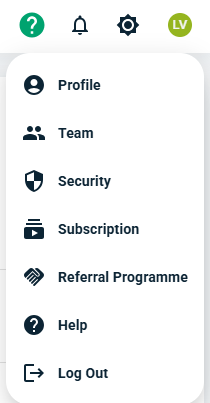
Once in, click on your name icon in the top right corner and select Security. In here you can set up a passkey. This isn't essential, but it does speed up accessing the app without having to hunt out your password every time.
In app notifications
Also at the top of the screen is a notification icon. Here you can get in app notifications. Press this to enable or disable notifications to appear so you can see what is going on.
Scanned Receipts
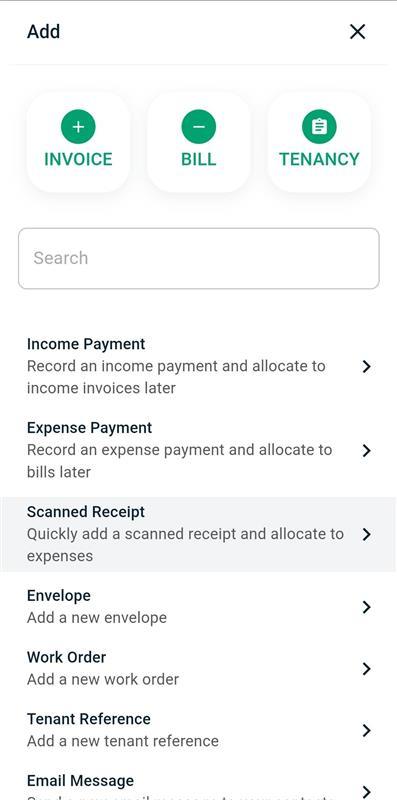
The last major advantage of the app is the Scanned Receipts area. While this area exists in the desktop / browser version, on mobile devices it links to your camera. From the Dashboard, press +ADD > Scanned Receipt and then Choose Files.
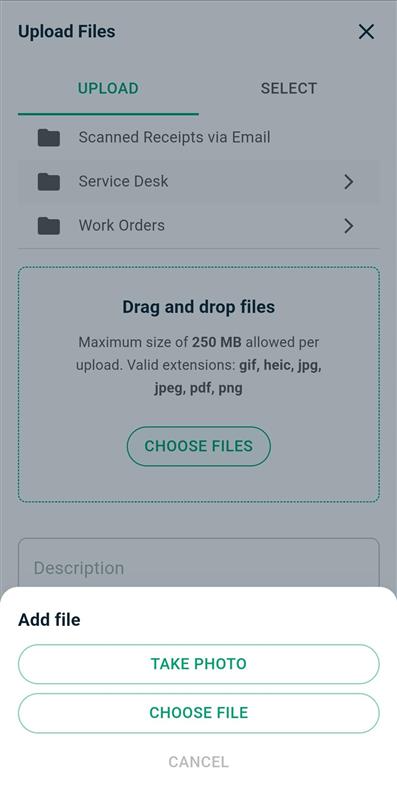
Select Take Photo and upload the receipt that way.
