Connecting your AI client to Landlord Vision
Last modified:
As well as entering data directly in to Landlord Vision and running reports, you can also do the same via your AI client. At this time we support access for Claude and Chat GPT. Support for others will be added as per demand.
Please contact support if you require this service. It is not available on all plans.
Firstly, set up your Landlord Vision to allow access from the AI client. From the name bar menu, select Connect AI assistant.
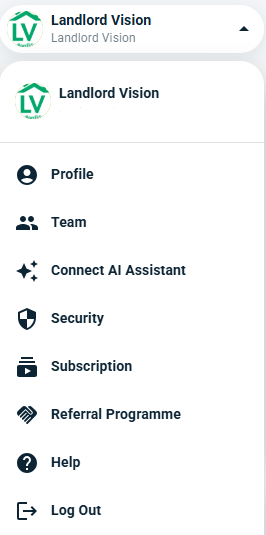
Follow the onscreen instructions about how to copy the link in to your client. Set the permissions and begin to use the client as you need to.
