Changing the Rent
Last modified:
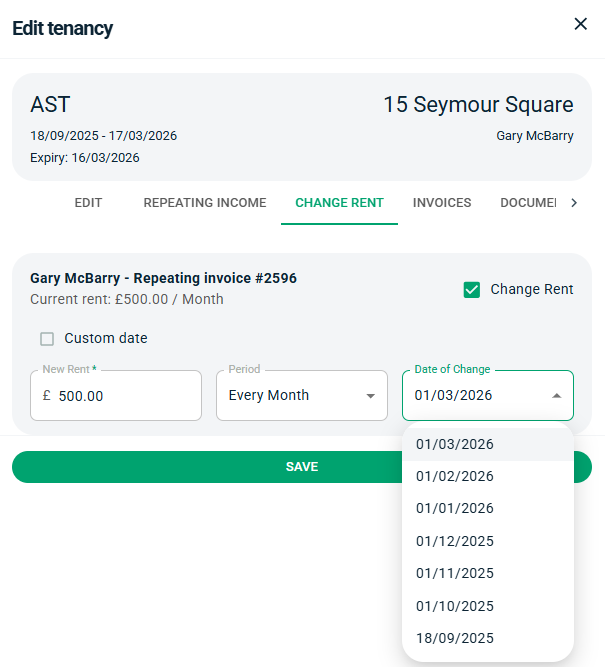
To change the rent, simply go into the tenancy and press the Change Rent tab at the top. Set the new rent amount and set the date.
You can change the date historically or in the future, but by default the next date will be shown. Press the dropdown box to view other dates.
If you want to change the rent on a different date to the ones specified, tick Custom Date and select the date from the date picker. This will allow you to set a pro-rata invoice if needed.