Building a Payment Schedule
Last modified:
If you want to add rents from previous years, or maybe you want to add a schedule for the next few years (especially if it is a commercial tenancy and the increases have already been agreed), then you can build a payment schedule. This guide covers the process.
Firstly, go to Tenancies > open the tenancy and press the Repeating Income tab.
Press on the Repeating income (or go three dots > Edit) and select Payment Schedule.
Press Add Another Payment Rule
Enter the details for the rental period
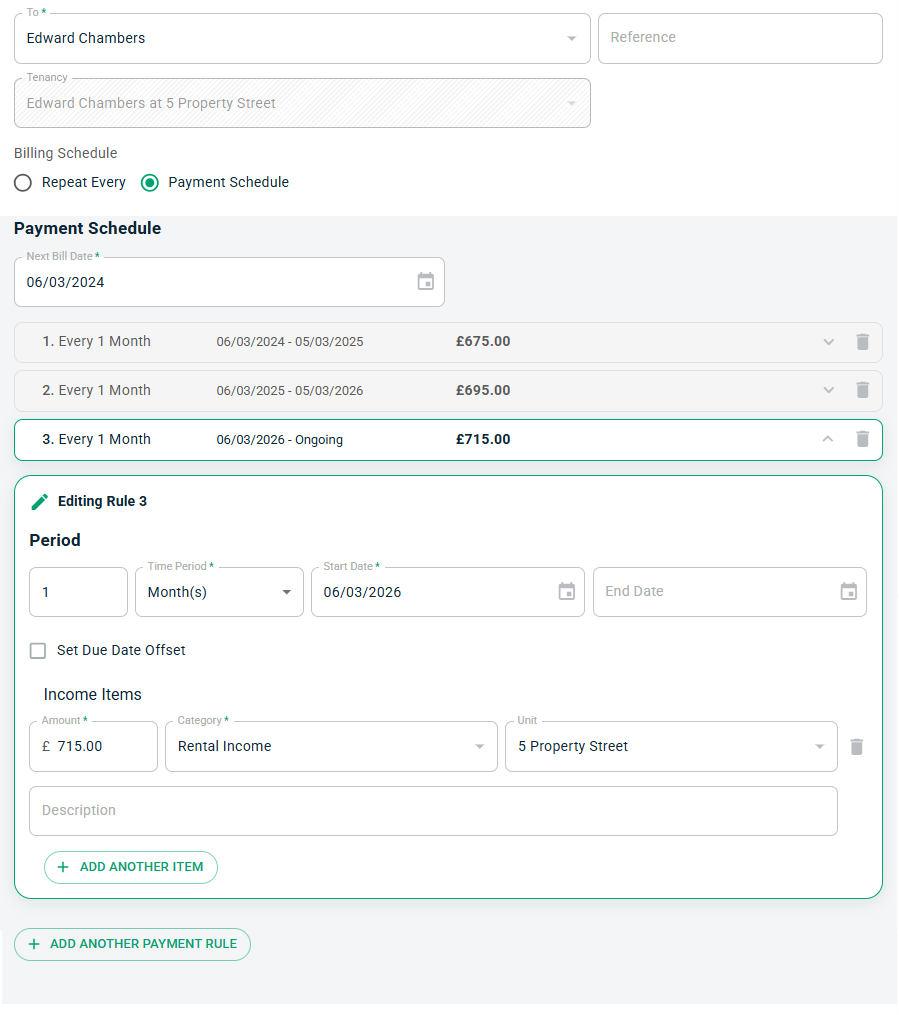
Add more rules until you have built your schedule. You can even add in irregular periods like quarter days or term dates. Set up a new rule for each period.
Press Save and the software will begin raising invoices as per the schedule you have set.
